Now on the App Store · iPhone, iPad & Mac

Invoicing, e-invoicing and bookkeeping — in one app.

Rechnio is the invoicing app for freelancers, tradespeople and small businesses in Germany. Compliant with EN 16931, with VAT returns and an accountant export — and no server and no account behind it.

3 invoices per month free · no account required · cancel any time

🇪🇺 E-invoicing per EN 16931🧾 XRechnung & ZUGFeRD🏛️ VAT return & DATEV🔒 GDPR — no servers🇩🇪 Made in Germany

A look inside the app

Current screenshots from Rechnio — every screen you actually use.

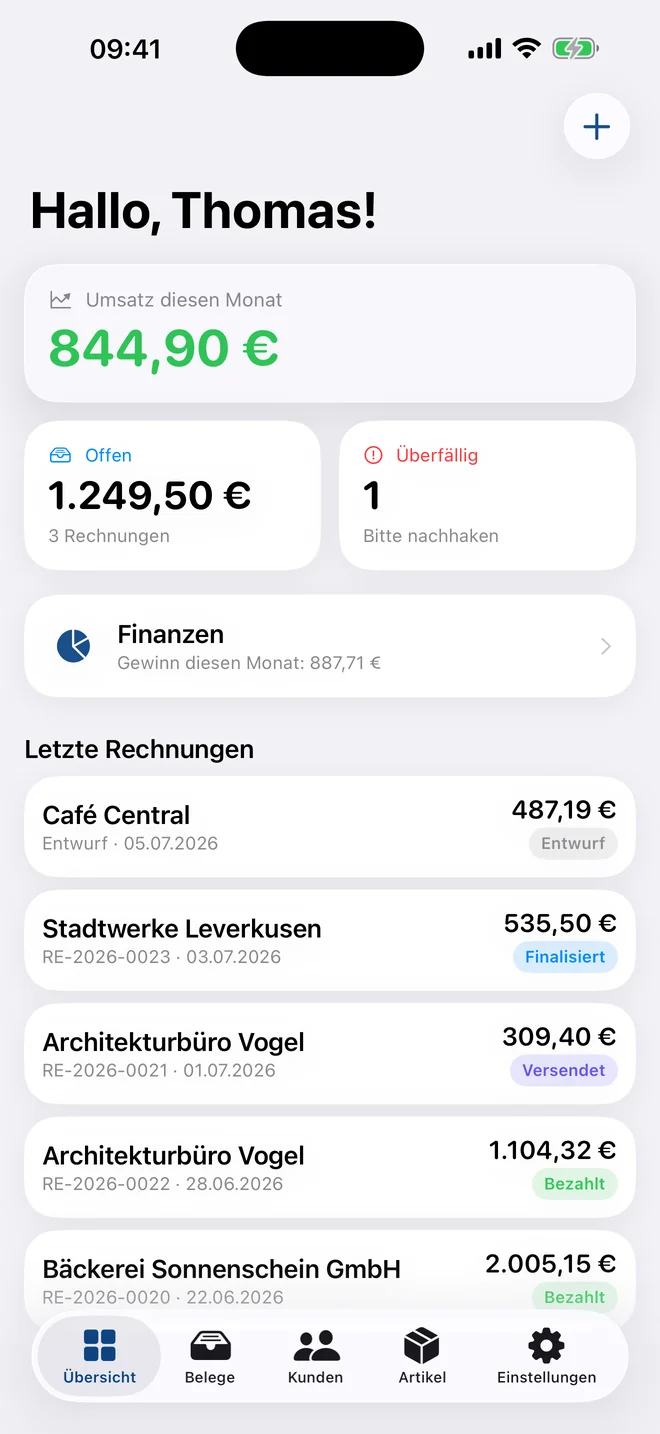
Rechnio — Dashboard
DashboardRevenue, open and overdue items at a glance.
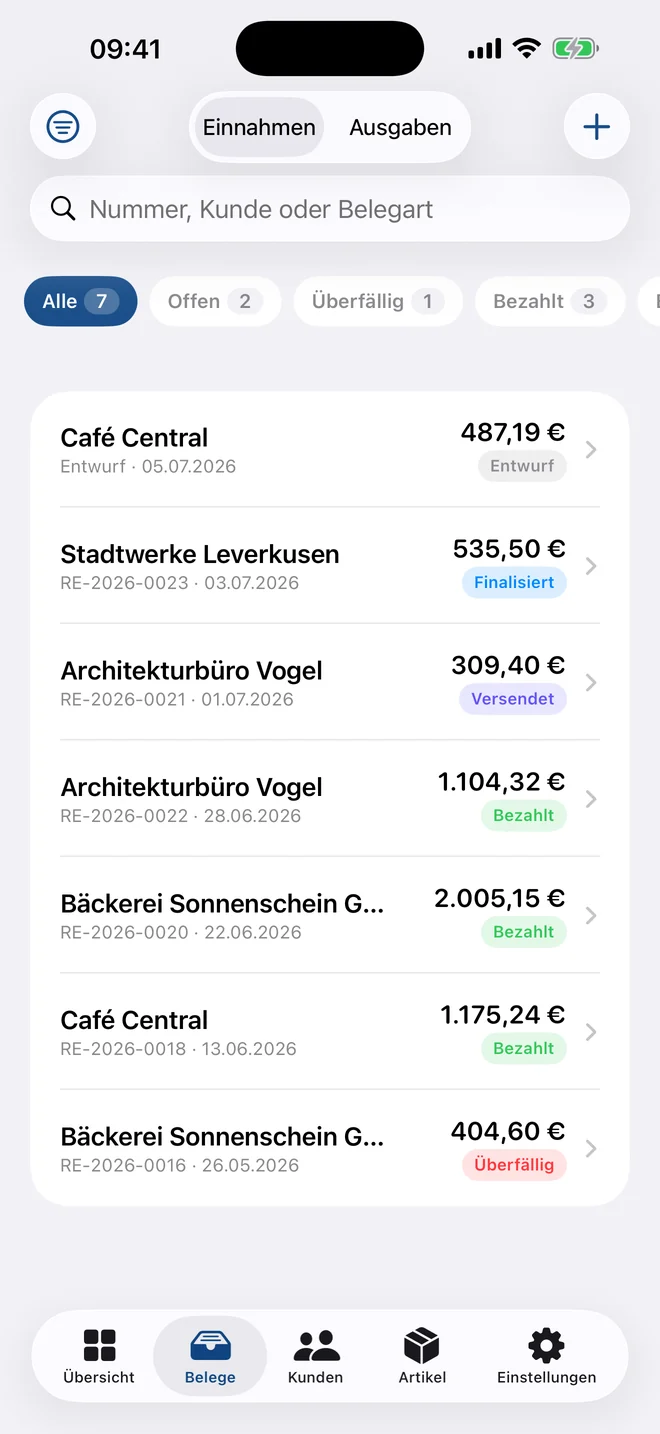
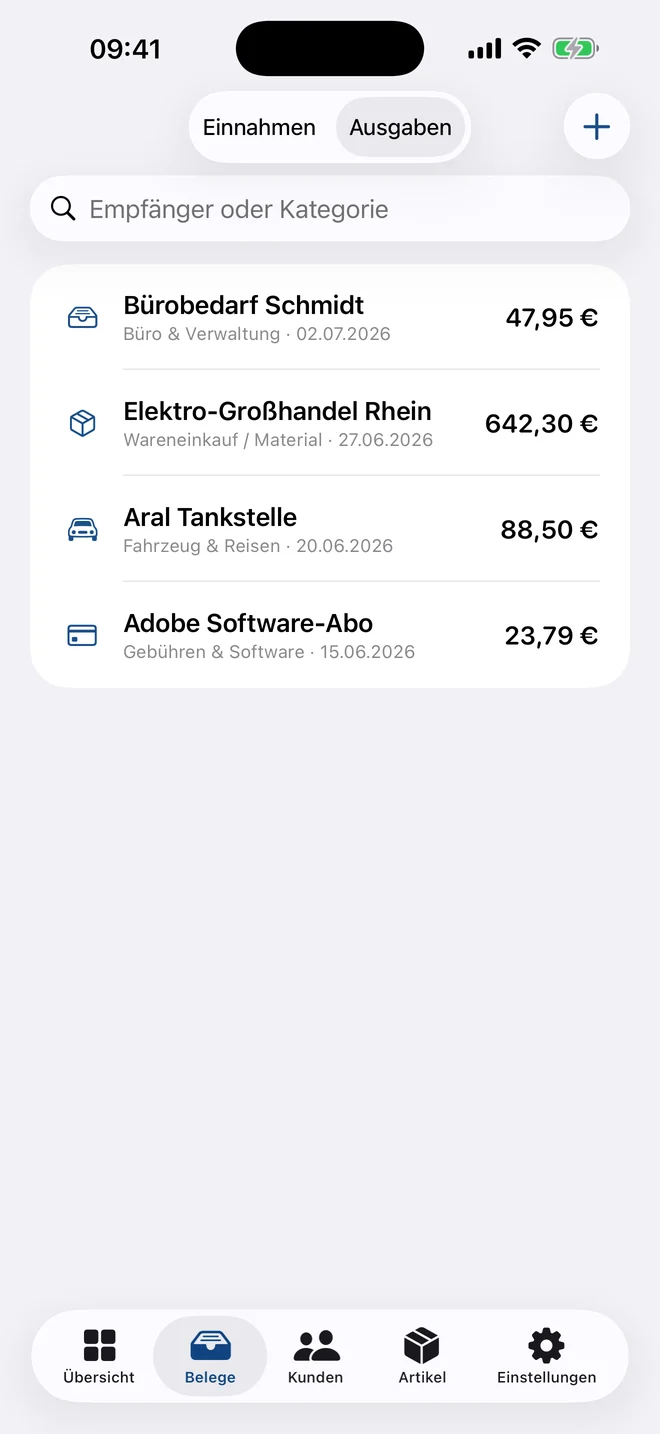
Rechnio — Documents
DocumentsEvery document with status filters and full-text search.
Rechnio — Receipt scan
Receipt scanPhotograph a receipt; merchant and amount are recognised.
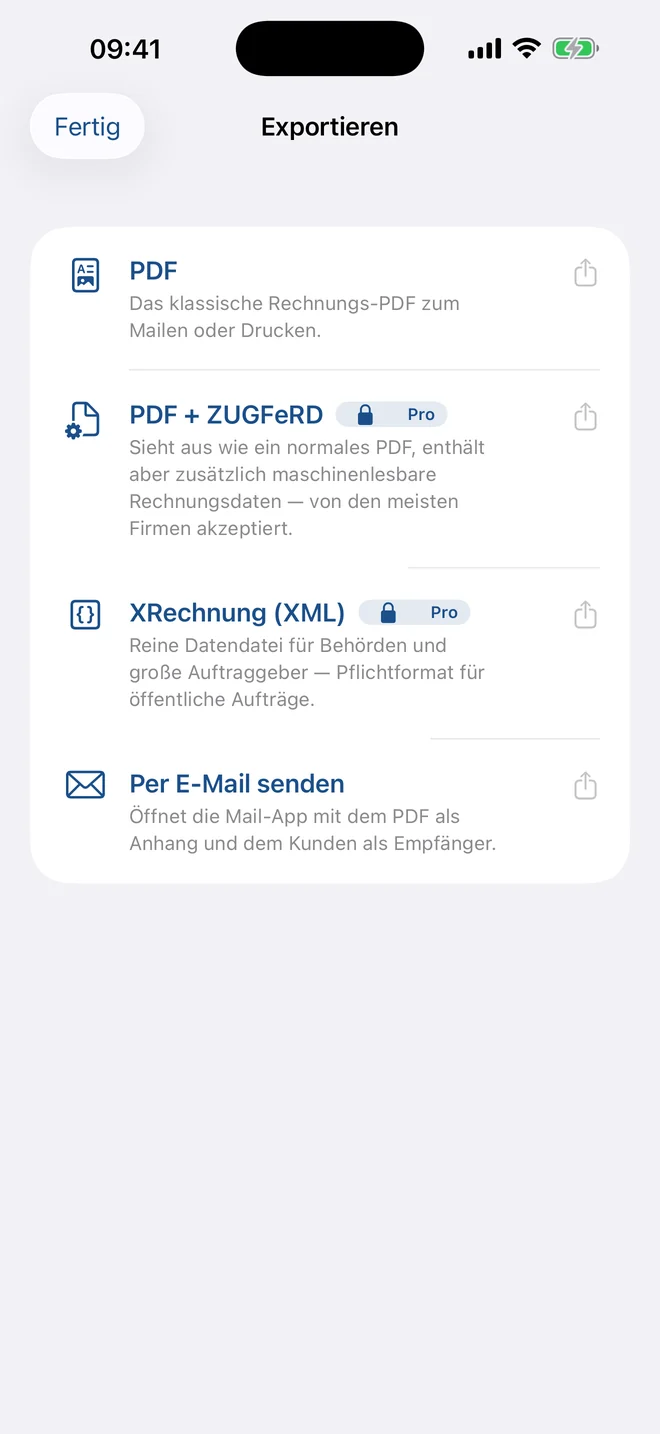
Rechnio — E-invoicing
E-invoicingPDF, ZUGFeRD or XRechnung — one tap to export.
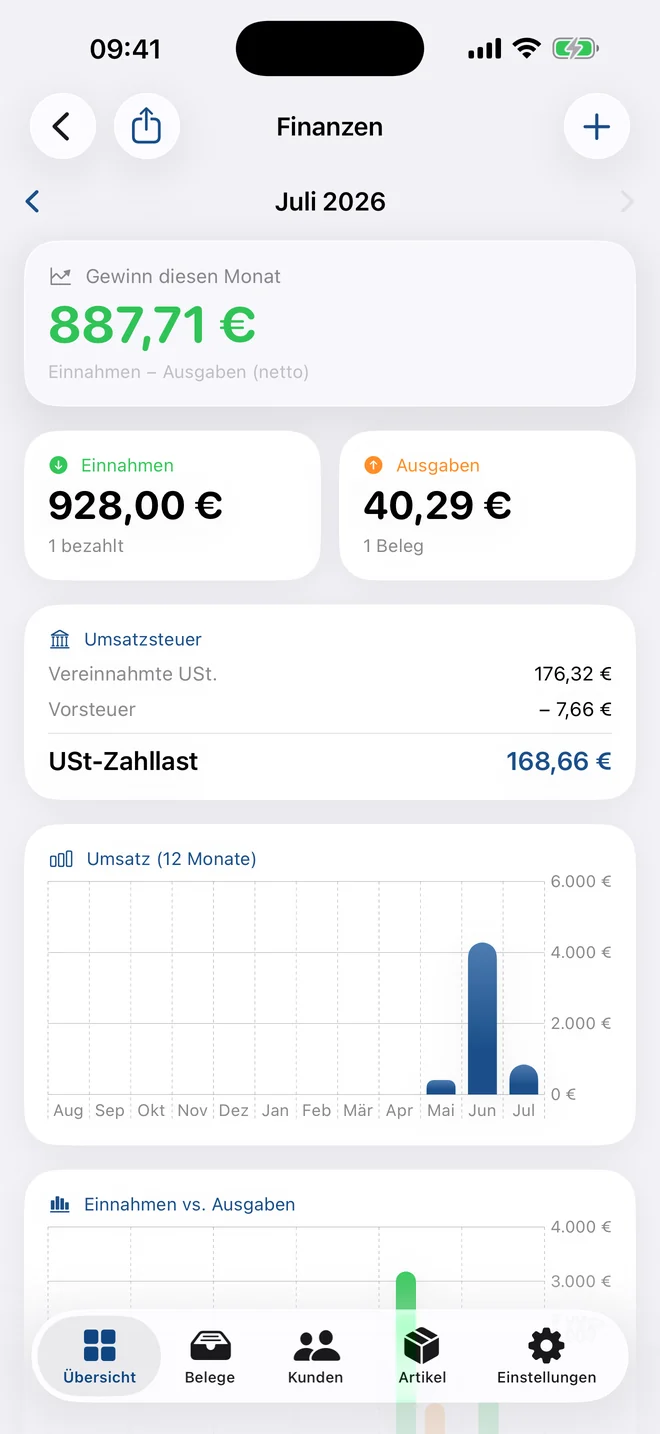
Rechnio — Finances
FinancesProfit, VAT payable and reports per month.
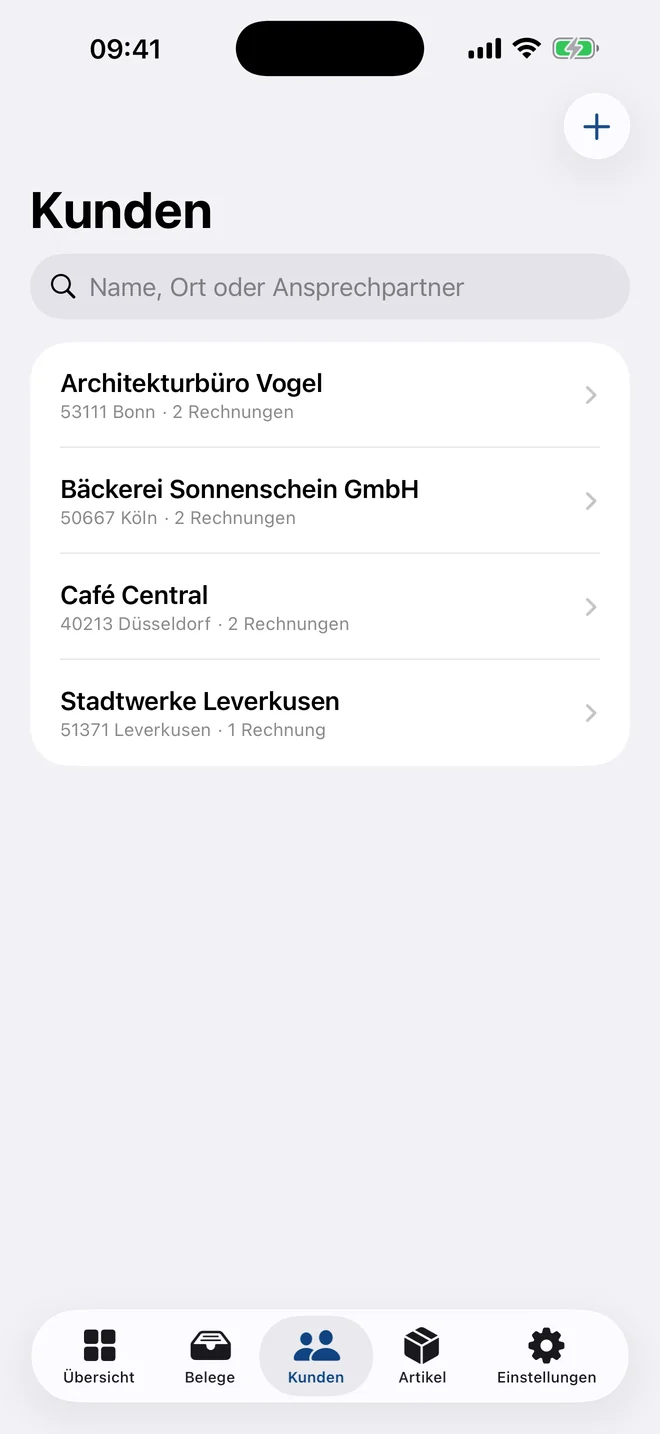
Rechnio — Customers
CustomersMaster data, revenue history and open items per customer.
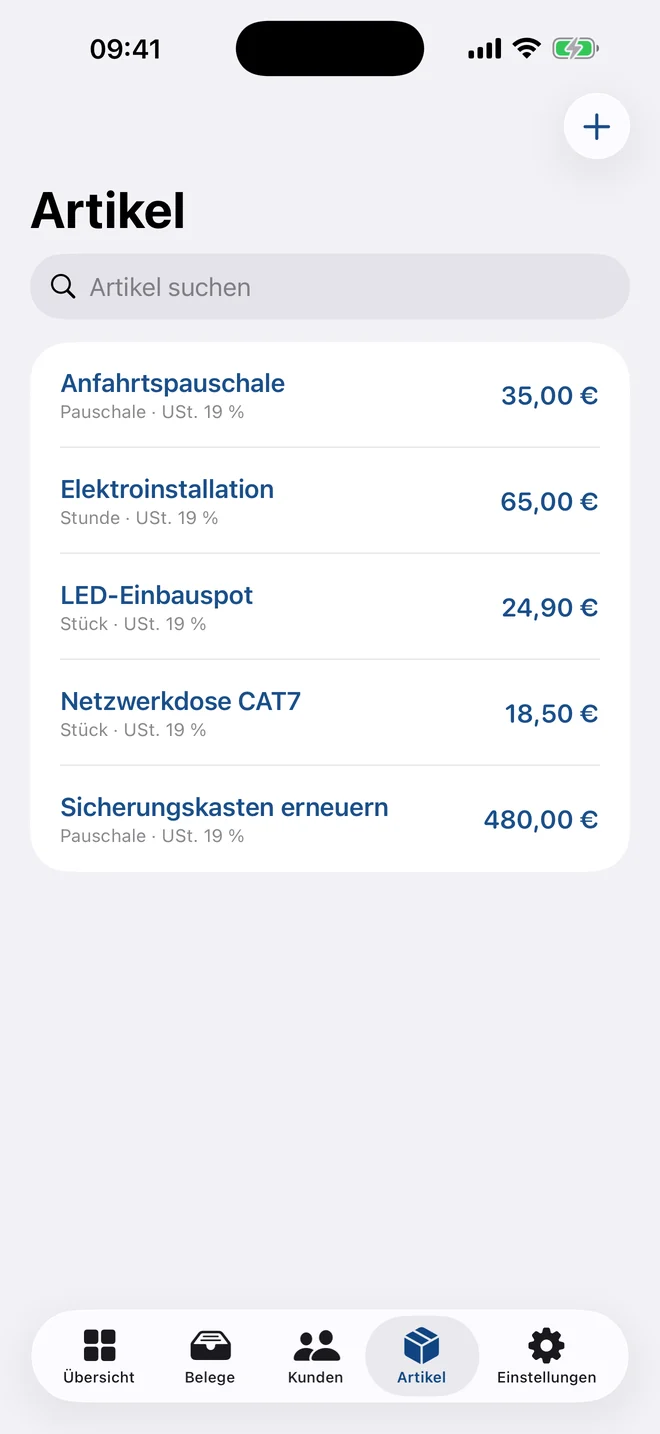
Rechnio — Items
ItemsCreate services and prices once, reuse them forever.

Built for small businesses

No accounting degree, no thirteen modules — just what you actually bill.

🔧

Trades & construction

  • Partial invoices and a final invoice that deducts them
  • Quote → order → delivery note → invoice
  • Invoice straight from the site, on your iPhone
💻

Freelancers & agencies

  • Recurring invoices for retainers
  • Hourly rates and flat fees stored as items
  • Reverse charge and small-business rule (§ 19 UStG)
🏪

Small companies

  • VAT return with a guided ELSTER walkthrough
  • GoBD package for your tax adviser
  • Payment matching from a bank statement import

Everything an invoice needs

From the first line item to the VAT return — without add-on modules.

🧾

Every document type

Invoices, quotes, orders, partial invoices, delivery notes, credit notes, cancellations and dunning letters.

E-invoicing

XRechnung (XML) and ZUGFeRD (PDF/A-3) per EN 16931 — the mandatory format for public-sector clients.

📥

Incoming e-invoices

Read incoming XRechnung and ZUGFeRD files and book them straight as an expense.

📸

Receipt scanning

Photo or PDF: merchant, date, amount and VAT rate are recognised offline and pre-filled.

📊

Finances & VAT

Income, expenses, profit and the German VAT boxes 81 / 86 / 66 / 83 for the return.

🏦

Payment matching

Import CAMT.053 or CSV from your online banking — paid invoices mark themselves.

🔁

Automatic

Recurring invoices, dunning reminders and due-date notifications.

🎨

Ten templates

From classic letterhead to modern — with your logo, your colour, no third-party ads.

📲

Apple integration

Siri & Shortcuts, home-screen widget, Spotlight search and the share sheet from any app.

See all features in detail

The three things invoicing software gets wrong

The e-invoicing mandate, VAT, and the question of where your data actually lives.

E-invoicing mandate

XRechnung and ZUGFeRD without the accountant drama

Since 2025 every German business must be able to receive e-invoices, and anyone billing public authorities has to send them too. Rechnio produces both formats straight from the finished invoice — validated against EN 16931 before anything leaves the device.

  • XRechnung as a pure XML file for authorities and large clients
  • ZUGFeRD as PDF/A-3: looks like it always did, carries the data machine-readably
  • Mandatory fields checked before export — routing ID, VAT ID, payment terms
  • Read incoming e-invoices and book them as an expense
Rechnio — E-invoicing mandate

Tax & reporting

The VAT works itself out

Every paid invoice and every scanned receipt feeds the reports. Rechnio shows profit, VAT collected and input tax per month or quarter — and hands over the figures in the exact format ELSTER expects.

  • Boxes 81, 86, 66 and 83 in the exact form layout, ready to type in
  • Cash and accrual accounting, small-business rule per § 19 UStG
  • GoBD package as a ZIP: invoice PDFs, receipt photos, CSV and DATEV journal
  • 12-month history for revenue, income and expenses
Rechnio — Tax & reporting

Privacy

No server means no data breach

Rechnio has no backend. Your invoices sit on your device and — if you want — in your private iCloud. There is no database of ours for anyone to break into, and you need no account to get started.

  • No login, no sign-up, no email address required
  • No tracking, no analytics SDKs, no advertising IDs
  • Text recognition and quick capture run entirely on device
  • Full backup as a file — your data stays exportable
Rechnio — Privacy

Three steps to your first invoice

From download to a sent PDF takes less than ten minutes.

1

Set up your company profile

Name, address, tax number, bank details and logo — fill it in once and it appears on every document.

2

Pick a customer and line items

Import customers from Contacts, save services as items. Next time it's two taps.

3

Check, export, done

Rechnio validates the mandatory fields, produces PDF, ZUGFeRD or XRechnung and opens the email with the attachment.

Your data stays your data.

Rechnio stores everything locally and syncs only through your private iCloud. We run no servers and never see your invoices.

No account, no sign-upNo trackers, no adsOCR and AI on deviceBackup and export any time

One price, every feature

Try it free with 3 invoices a month. After that €9.99 monthly or €59.99 a year — no per-seat pricing, no module surcharges.

Free

To try it out, and for anyone who bills rarely.

€0.00forever

No account, no credit card, no expiry date.

  • 3 finalised invoices per month
  • Unlimited quotes, orders, delivery notes and dunning letters
  • Unlimited customers, items and expenses
  • Receipt scanning with text recognition
Start free

Frequently asked questions

What freelancers most often want to know before switching.

Does the e-invoicing mandate apply to me?

If you invoice other businesses in Germany: yes. Since 1 January 2025 every company must be able to receive and process e-invoices; the obligation to send them phases in through 2028. Anyone supplying public authorities already has to send XRechnung today. Rechnio handles both directions.

Do I need an account or a sign-up?

No. Download the app, fill in your company profile and write the first invoice. There is no login, because there is no server to log into.

What happens to my data?

It stays on your device. Turn on iCloud sync and it additionally sits in your private iCloud — not with us. We have no technical access to your invoices.

Can I use Rechnio on iPhone, iPad and Mac?

Yes, on all your devices with one subscription. iCloud keeps customers, items and documents in sync everywhere.

Does Rechnio replace my tax adviser?

No — it supplies them with data. The GoBD package contains every invoice PDF, receipt photos and a CSV and DATEV journal per period. The VAT return you can file yourself using the guided ELSTER walkthrough.

Can I take my data with me?

Any time. Full backup as a file, PDF export for individual documents, CSV and DATEV for bookkeeping. There is no lock-in — not even if you end the subscription.

Support

Write your first invoice today

3 invoices a month are free forever, with the full feature set while you create them. No account, no credit card, no trial that runs out.

Download on the App Store